

Field reports, done before you leave the site.

Snap the photos, talk through what you see, and RapidForge Reports writes the report for you. Send a branded PDF straight from your iPhone.

Free during launch. iPhone now, Android coming soon.

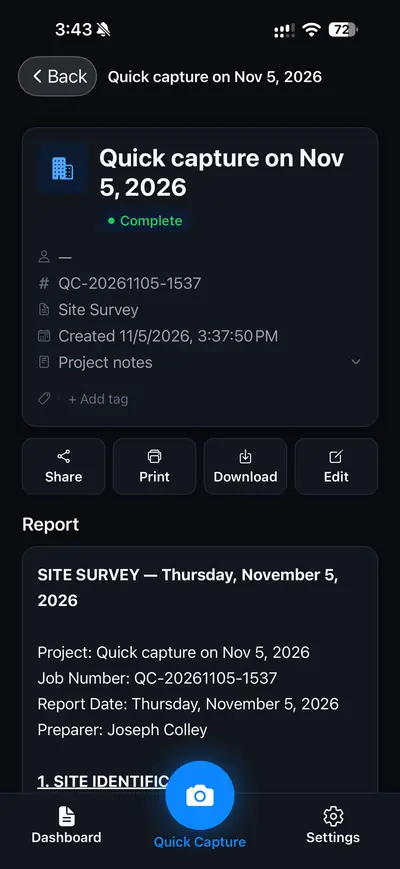
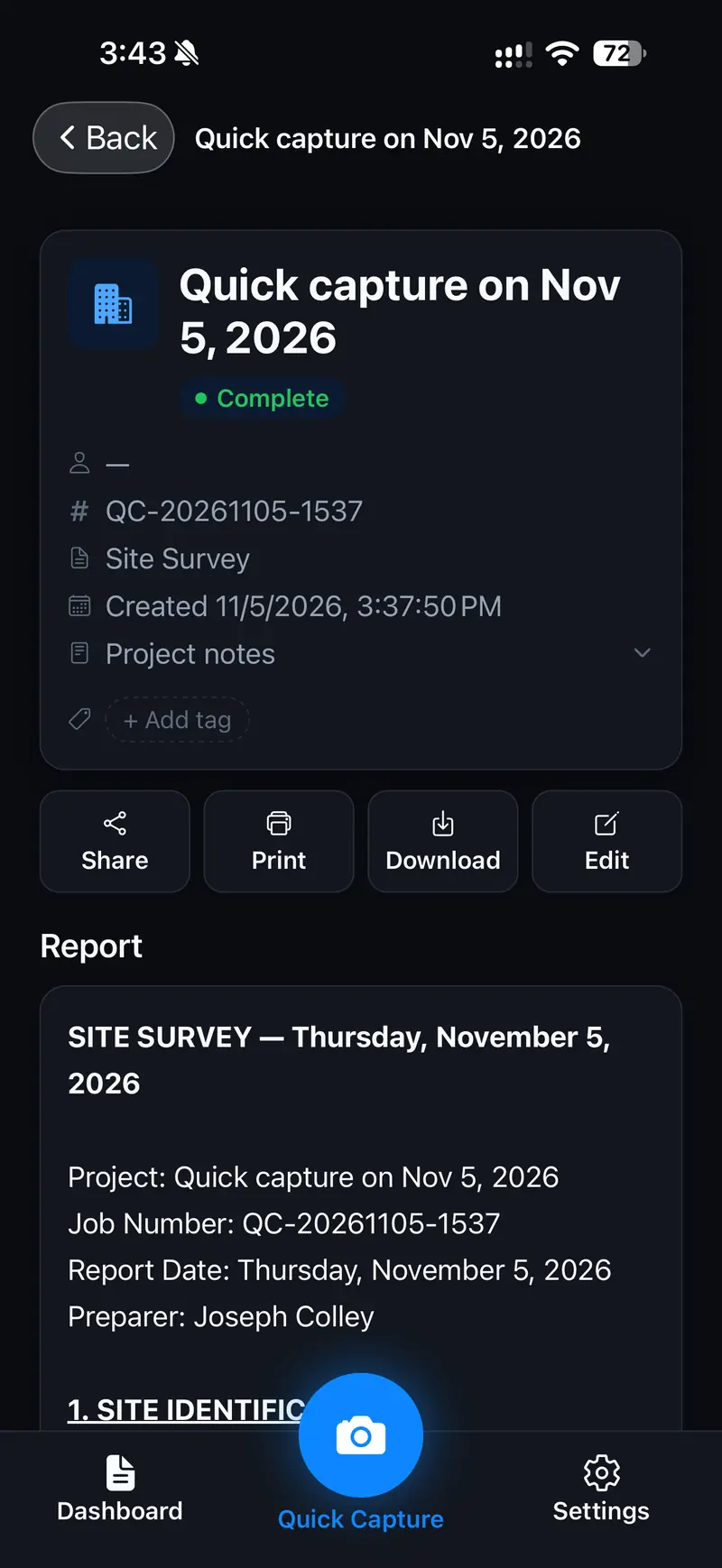
A finished Site Survey report in RapidForge Reports, with job number, report type and Share, Print, Download and Edit buttons

From site walk to sent report.

Everything happens on your phone, on the job site. No uploading photos back at the office, no writing it up at night.

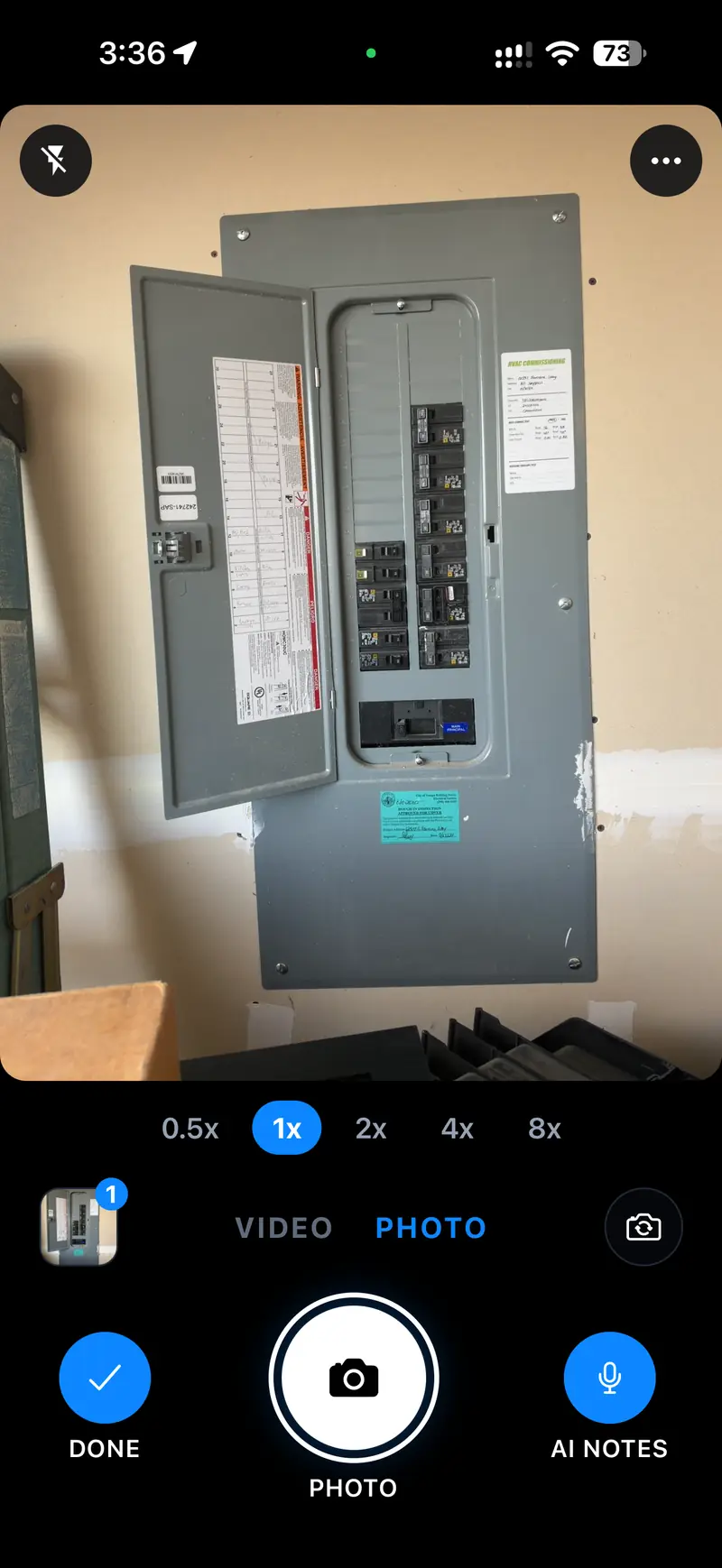
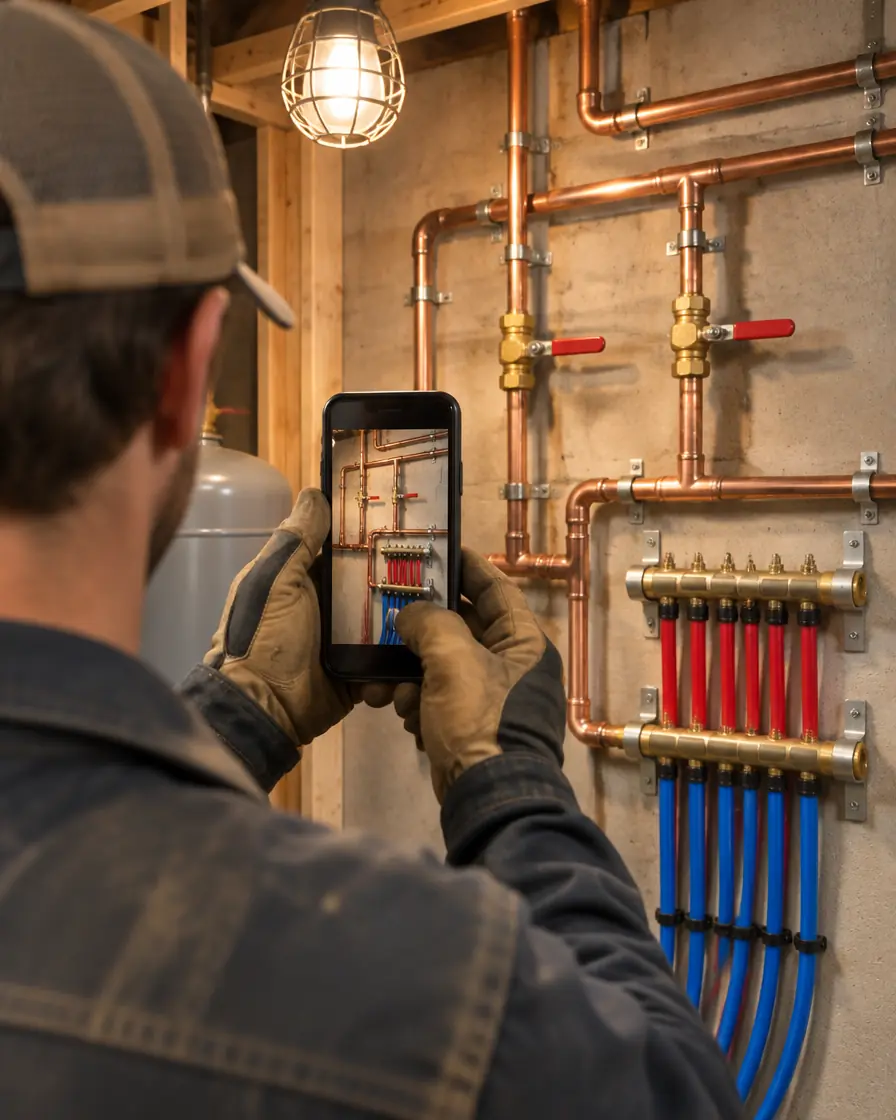
Snap the job site

Every photo is stamped with the time and location automatically. Grab short video clips too, or bring in shots from your photo library. They keep their own location.

  • Time and location on every photo
  • Short video clips
  • Import from your photo library

The RapidForge Reports camera, pointed at an electrical panel, with zoom levels, Video and Photo modes, Done and AI Notes buttons

Talk, don’t type

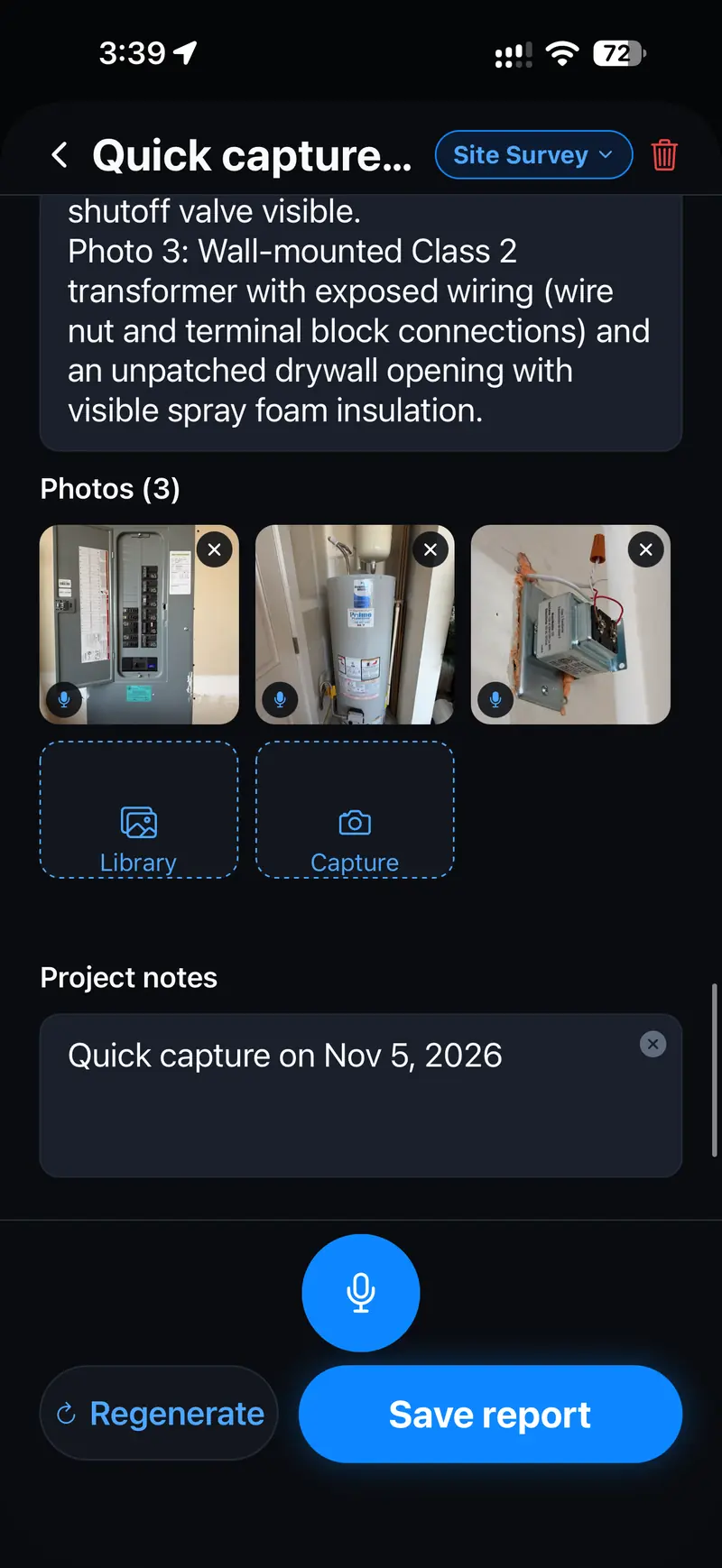
Tap the mic and describe what you see as you walk. Your voice notes are transcribed, and the photos are organized into a clear written summary.

  • Hands-free narration while you walk
  • Voice notes transcribed for you
  • Edit everything before you send
The report editor showing the written summary, three site photos, project notes and a microphone button

Client-ready PDF reports in minutes

Pick Daily, Weekly, Monthly, Site Survey or Field Report. You get a branded PDF with your logo or letterhead, company details, job number and every photo.

  • Email it from the app
  • Secure link that expires after 30 days
  • Your logo, job number and every photo
A finished Site Survey report with Share, Print, Download and Edit buttons

Every job in one place

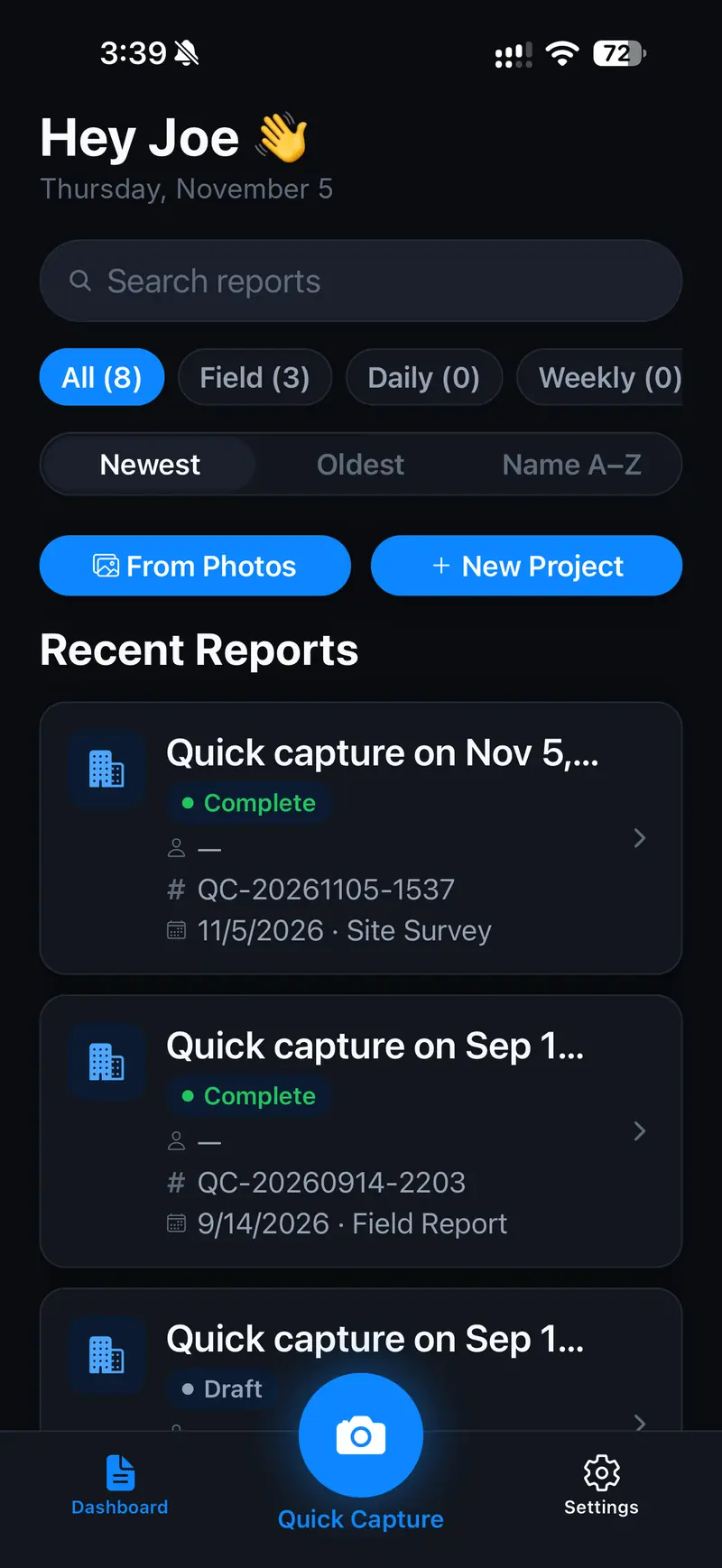
Every report lands on your dashboard, searchable and sorted by type. Job numbering and your crew roster are built in.

  • Search and filter by report type
  • Automatic job numbering
  • Crew roster for daily reports
The dashboard with report search, filters for All, Field, Daily and Weekly, and a list of recent reports

Back at the office.

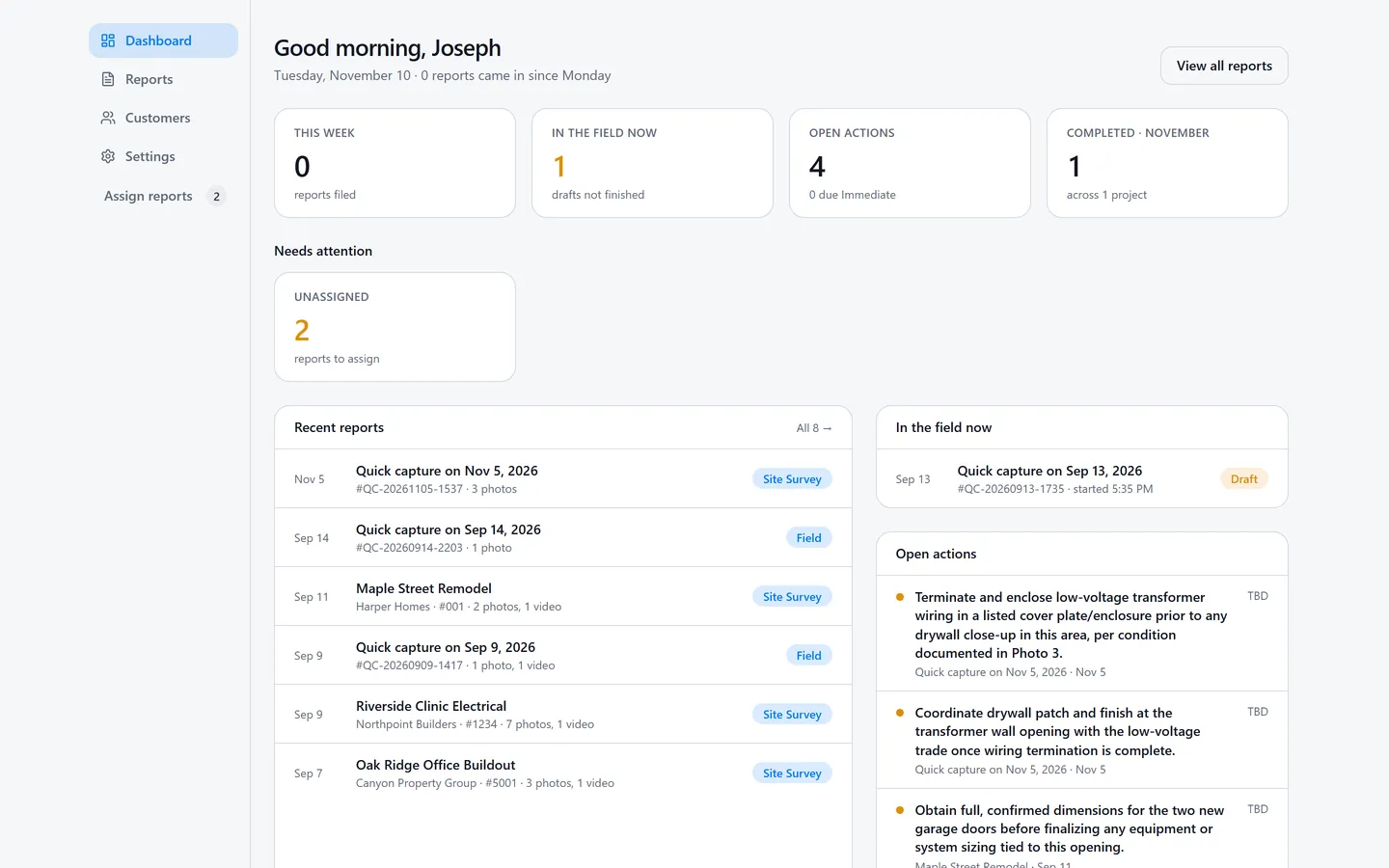
The reports you file on site are waiting in a web dashboard when you sit down at a desk. Read them on a big screen, tidy up the wording, file them under a customer and send them to your client.

Office login
The web dashboard home: a good-morning greeting, counts for reports this week, drafts still in the field, open actions and completed reports, then recent reports and open action items
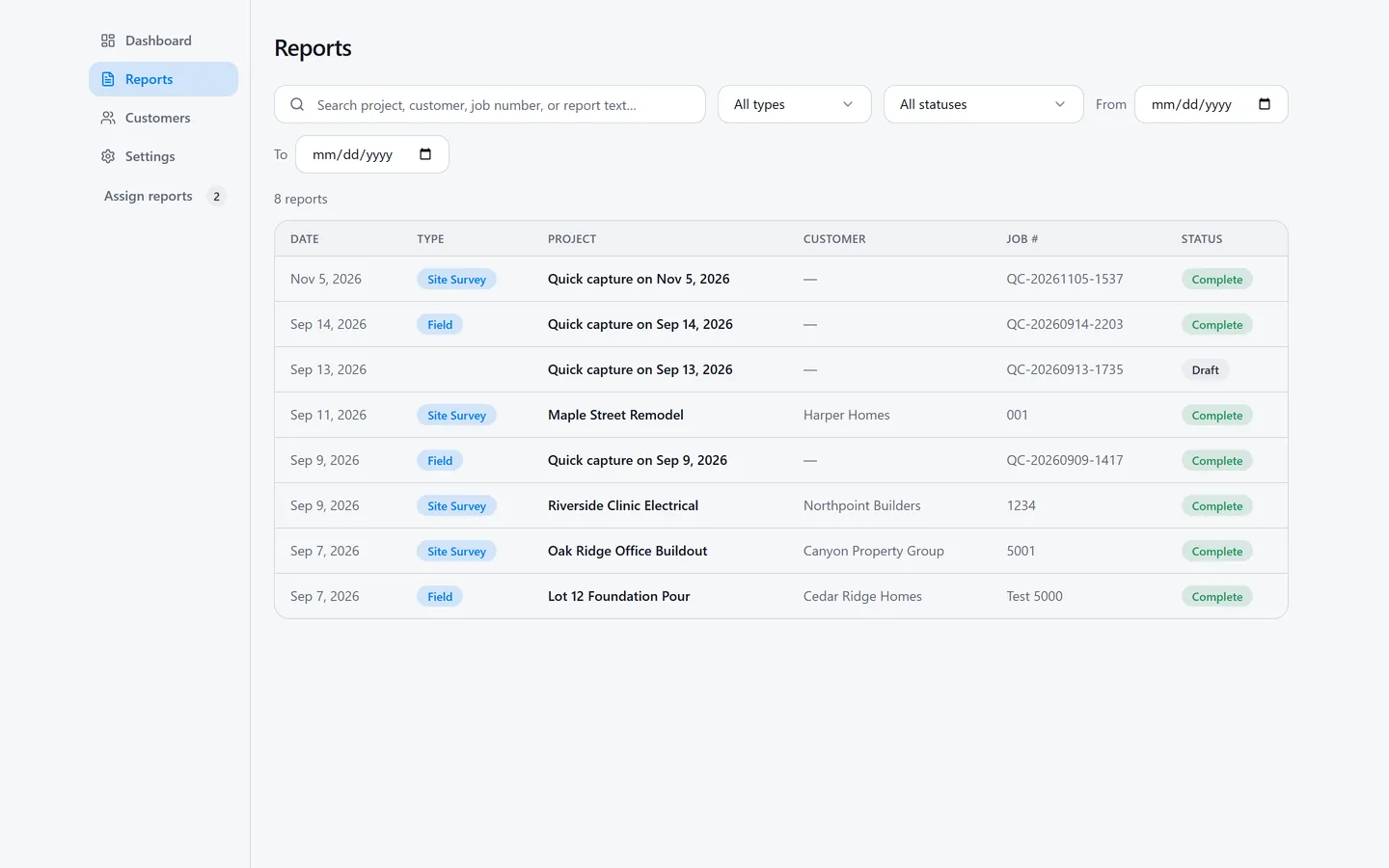
The Reports list in the web dashboard: eight reports with date, type, project, customer, job number and status, above search and filters
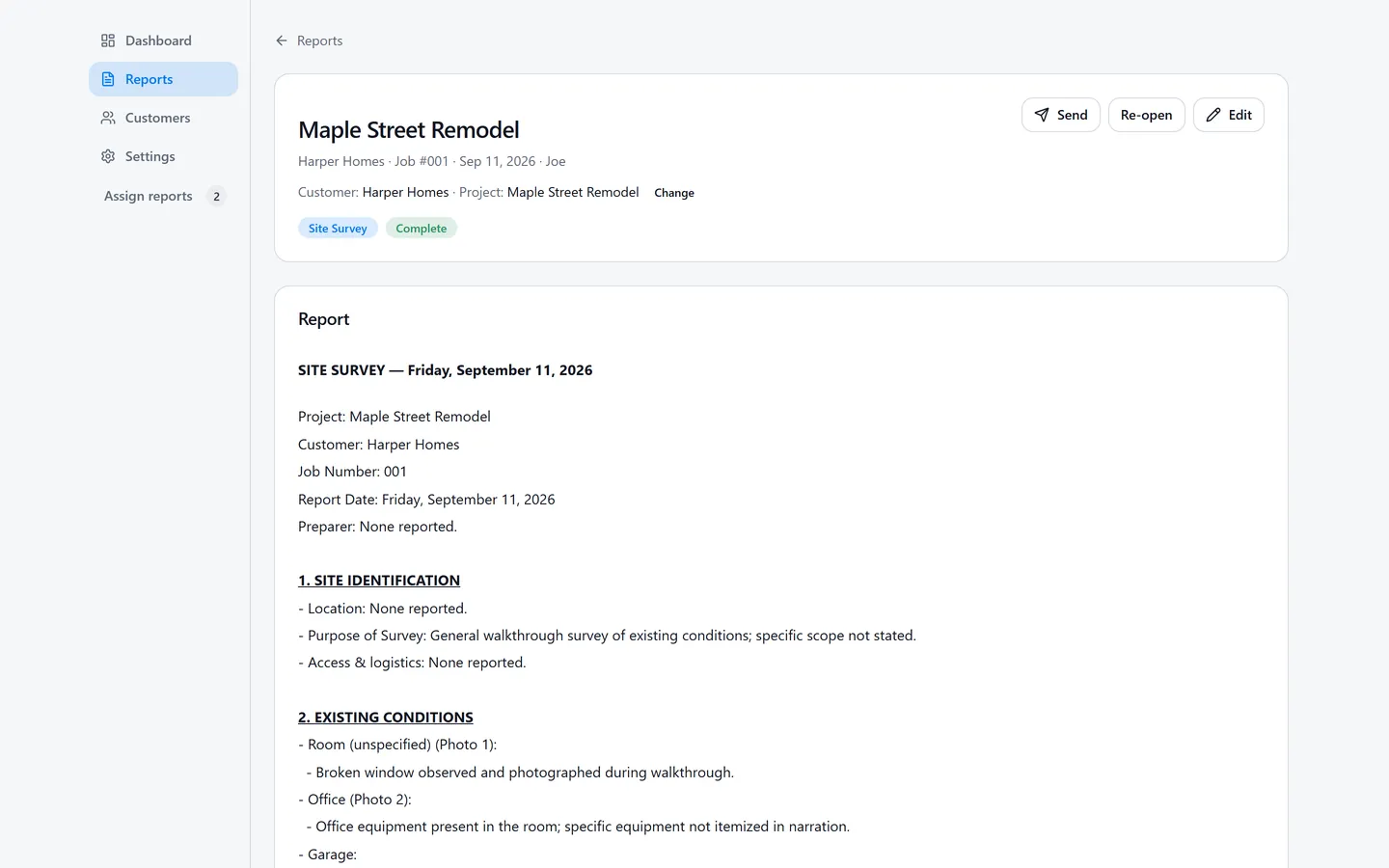
A Site Survey report open in the web dashboard, with Send, Re-open and Edit buttons, its customer and project, and the AI-written report text
  • Internal notes and commentsLeave notes on a report and @mention a teammate. They’re never printed or shared.

  • Customers and projectsAssign each report to a customer and project, and follow the project on its timeline.

  • Send to your clientEmail a report link to your client, with a log of every send.

  • Your company headerYour logo or letterhead, printed at the top of every report.

  • Team rolesOwner, Editor or Viewer. The owner invites teammates by email as an Editor or Viewer.

  • Light and dark modePick one, or let it follow your computer.

Built for every trade.

For anyone who walks a job site and has to write about it afterwards: construction and project managers, architects, engineers of every discipline, technicians and leads, IT staff, inspectors and home builders.

What’s in the app.

Capture

  • Photos with automatic time and location stamps
  • Short video clips
  • Hands-free voice narration while you walk the site
  • Import from your photo library, keeping each photo’s own location

AI reports

  • Voice notes transcribed
  • Photos organized into a clear written summary
  • Daily, Weekly, Monthly, Site Survey and Field Report types
  • Edit everything before you send it

Deliver

  • Branded PDF with your logo or letterhead, company details, job number and every photo
  • Email it straight from the app
  • Share a secure link that expires after 30 days
  • Crew roster and job numbering

Built for the field

  • Big touch targets for quick taps
  • Dark interface that stays readable on bright sites
  • Optional Face ID lock
  • GPS stamping can be turned off

Why I built it

I’ve been an AV engineer since 1994. After every site walk I had a phone full of photos to upload back at the office, and a report to write up as a PDF.

So I built RapidForge Reports to get that done on the site. I used it on my own jobs first, and made sure other people in the field wanted it before building it out. If you walk job sites for a living, I built it for you.

Joey Colley, Founder

Rolling it out to a crew?

Tell us about your team and we’ll get back to you about company plans and getting everyone set up.

Prefer email? joey@joeyc.ai

What can we help with?

We only use these details to reply to you. See our Privacy Policy.

Thanks, it’s on its way.

We’ll reply by email.

Questions

How does the AI write the report?

Your voice notes are transcribed, then your photos, the transcript and the project details go to an AI model that writes the report in the format you picked: Daily, Weekly, Monthly, Site Survey or Field Report.

The draft is yours to change. You can edit every word before the PDF goes out.

Is my data secure?

Your reports stay in your account, and nobody else sees them unless you share them. Share links expire after 30 days, you can lock the app with Face ID, and you can turn GPS stamping off.

The full details are in our Privacy Policy.

Can I add my logo?

Yes. Add your logo or letterhead and your company details once, and they appear on every PDF along with the job number.

Is there a web dashboard for the office?

Yes. Sign in at office.rapidforgeai.com with your account’s email and password. The dashboard doesn’t offer Apple or Google sign-in.

Everyone on the account is an Owner, Editor or Viewer. The owner invites teammates by email as an Editor or Viewer.

Does it work on Android?

Not yet. Android is coming soon. Leave your email and we’ll tell you when it’s ready.

How much does it cost?

RapidForge Reports is free during launch. Company plans are available for teams, so talk to us if you’re rolling it out to a crew.

Walk the site. Send the report.

Free on the App Store during launch. Android coming soon.

Download on the App Store